
Manage your media library with ease
Gallery - Samsung Gallery is a free utility app designed to enhance the management of your photos and videos. It supports diverse file formats, including JPEG, GIF, PNG, SVG, Panoramic, MP4, and more. With this, you can access media files without needing an internet connection.
Top Recommended Alternative

One of the standout features of Gallery - Samsung Gallery is its security options. This photo gallery app allows users to create password-protected folders, adding an extra layer of protection to sensitive photos and videos. By setting a PIN code, you can effectively safeguard your private content from unauthorized access, providing peace of mind against potential snooping.
Streamline photo organization and recovery
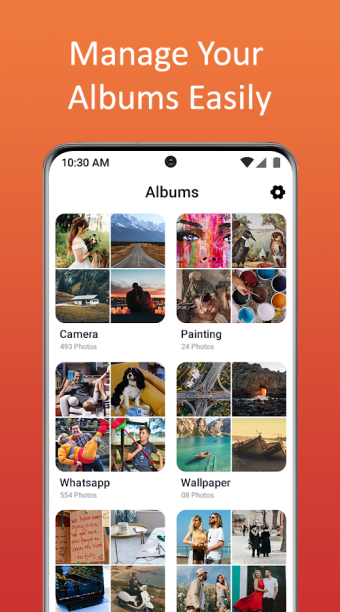
For efficient media management, Gallery - Samsung Gallery provides robust sorting options by name, date, or size, and includes a powerful search function. It also features a recycle bin to recover accidentally deleted files. The app identifies similar images, allowing users to clear duplicates and manage storage space more effectively. Filters for screenshots and large videos further enhance its organizational capabilities.
Beyond its storage benefits, the app offers a suite of editing tools. You can add text, apply paint brushes, insert emojis, and use meme stickers to personalize your images. The app also includes basic editing features such as cropping, rotating, and applying filters. Additionally, users can create custom photo slideshows, adjusting the interval time between slides for a tailored viewing experience.
Despite its many features, this utility has a few drawbacks. Users occasionally face error messages when trying to save edited photos, which can be particularly frustrating after investing time in editing. This issue can interrupt the workflow and potentially lead to the loss of edits if not resolved promptly. Additionally, the app suffers from occasional crashes, which can disrupt the overall user experience.
Efficient tool despite minor glitches
Gallery - Samsung Gallery offers a robust set of features for managing and editing media files, including extensive file format support and security options. Its editing tools and organizational features make it a valuable app for media management. However, occasional error messages and crashes when using the editing features can disrupt the user experience. Despite these issues, the app remains a useful tool for those seeking comprehensive media management capabilities.





.png)













.png)